
How to check what ChatGPT says about your business

Jackson Neo
Published
A customer mentions they asked ChatGPT before calling you. Now you're wondering what it told them, and what it tells the people who never call.
You can find out by hand in about an hour. Open ChatGPT in a clean chat so your own history doesn't shape the answer, ask the questions your buyers ask, turn on search and open the sources it used. Then ask the same questions each month. For most small businesses that's enough, and it costs nothing.
- questions, in your buyers' words
- About 10
- same questions, same wording
- Once a month
- for the whole check, by hand
- About an hour
Step 1: Start a clean chat
ChatGPT tailors answers to the person asking. OpenAI says that when memory is on, ChatGPT may use your saved memories when it rewrites your question into searches. It also guesses your rough location from your internet connection. If you've spent months talking to ChatGPT about your own business, it's no surprise it brings you up.
So check the way a stranger would see it. Either use a private browser window without signing in, since OpenAI says people who aren't signed in can also search the web, or start a Temporary Chat and choose Unpersonalized before you send anything. An unpersonalised temporary chat doesn't use your memories or custom instructions. Turn off any VPN before you start, because ChatGPT uses your location for local results.
Step 2: Ask what your buyers ask
Searching your own name only tells you part of the story. Buyers who don't know you yet ask about the problem, the service and the price. Write down about ten questions, in their words:
- Questions that should lead to you. "Who does aircon servicing for offices in Tampines?" "Best bakery for custom birthday cakes in Singapore?" These show whether you're recommended or a competitor is.
- Questions about your business by name. "What does [your business] do?" "Is [your business] any good?" These show what it believes about you.
- Questions about your details. Your address, opening hours, prices and the areas you serve. These are where wrong information usually shows up.
Keep the exact wording. If you ask differently next month, you won't know whether the answer changed or your question did.
Step 3: Turn on search and open the sources

ChatGPT searches the web on its own when a question needs current information, but not always. To make sure, choose Search from the tools menu before you ask, or type / and pick Search.
Answers that use search come with citations. Click one to open the page it came from, or click Sources to see everything it used. This is the most useful part of the check. A wrong answer about your business almost always comes from a page somewhere, and the sources tell you which one. OpenAI itself says search results and citations can be incomplete, outdated or incorrect.
While you're at it, ask the same questions in Google, where AI Overviews and AI Mode appear on some searches, and in Perplexity. Each finds pages in its own way, so you'll get different answers.
Step 4: Note what you see
For each question, write down whether your business was named, whether what it said was right, which page it cited and which competitors it named instead. Put the date at the top.
One month's answers don't tell you much, because the same question can get a different answer tomorrow. After three or four months, patterns appear: questions where you start showing up, a competitor's page that keeps getting cited, a wrong detail that won't go away.
When ChatGPT has your details wrong
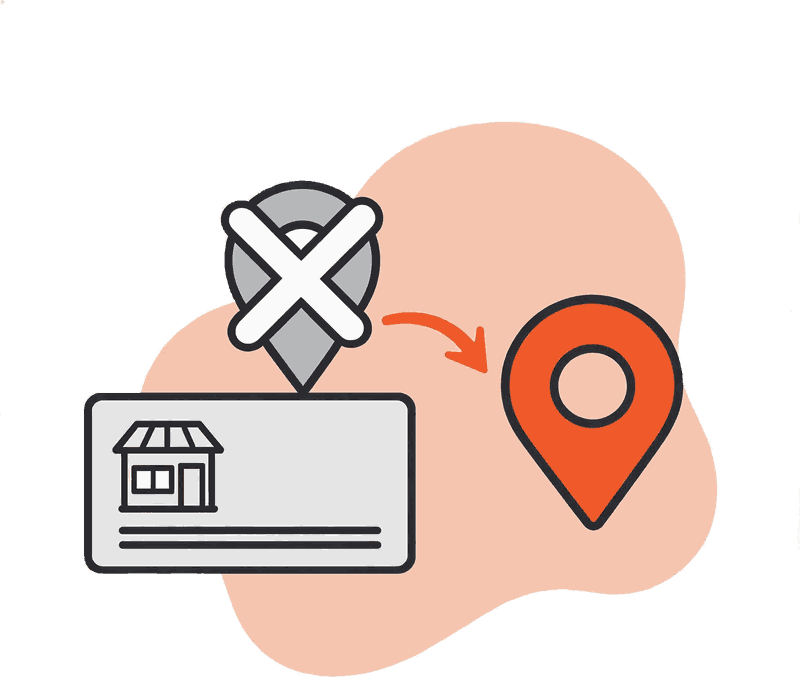
The cause is usually outdated information on another site. ChatGPT finds an old page, trusts it and repeats it.
When you find a wrong detail, open the source it cited and work out which kind of page it is:
Where the wrong detail comes from
A page you control
Recommendation: , such as your website, your Google Business Profile or your social pages. Fix it there first. These are the sources you can change today.
A directory or review site that lets you claim your listing
Recommendation: Claim it and correct the details.
A site you can't edit
Recommendation: , such as a registry copy or an old news article. Ask the site to update it if it takes requests. Then make sure your own pages state the right details clearly, so there's a current source that disagrees with the old one.
Write your name, address and phone number the same way everywhere. Small differences, like an old unit number on one listing, make it harder for search systems to tell which version is right. Then check again next month. Changes don't show up instantly, because each tool revisits pages on its own schedule.
When ChatGPT doesn't mention you at all
When we check a Singapore small business that isn't being mentioned, the cause is usually one of four things. Its pages don't answer the buyer's question near the top. The pages are thin. Few other sites mention or link to the business. Or crawlers can't reach the site easily in the first place.
The fixes for those are a bigger job, covered in our guide to getting mentioned in AI search answers. Start by checking that Google has indexed your main pages, because Google's AI features can only use pages that are indexed.
Do you need a paid tracking tool?
Not for most small businesses. Checking by hand once a month covers ten questions in about an hour. Tracking tools, including the AI visibility features in SEO suites like Semrush, usually come with an expensive monthly bill, and for a single business with one location that's a lot to pay for answers you can read yourself.
A tool starts to make sense when the list gets too long to do by hand: many locations, many product lines, or an agency checking for many clients.
Frequently asked questions
Does ChatGPT give everyone the same answer?
No. Answers vary with the exact wording, the person's location and, when memory is on, what ChatGPT knows about them. That's why the check uses a clean chat and the same questions every time.
How often should I check?
Once a month is enough. Answers change from day to day, so checking more often mostly shows you noise. Look at the trend over a few months.
Can I ask ChatGPT to correct what it says about my business?
Telling it in your own chat doesn't change what it tells other people. Fix the sources it cites and keep your own pages up to date.
Turning the check into a habit
Set a reminder for the same day each month, use the same ten questions, and keep each month's notes in one place. Fix wrong details at the source as you find them.
If you'd rather have someone run the checks and fix what they find, our AI search optimisation work starts with a review of where your business stands today.

Author
Founder & CEO
Jackson Neo is the Founder and CEO of retroXpect. He works with businesses to plan and deliver websites, custom web applications and digital solutions.

Approver
Founder & CTO
Ryan Aai is the Founder and CTO of retroXpect, where he leads technical development, system architecture and project delivery.
Talk to us about a custom web application
Tell us what you need. We reply within 24 hours with questions and next steps. The first consultation is free.
Our service: Custom Web Application Development. Dashboards, portals and internal systems built around how your business works.