
Building NearFi, a Personal Finance App for iOS and Android
A Singapore-first personal finance app that makes logging spending quick and shows what today’s spending means for upcoming bills and goals.
Published
- Client
- NearFi (Near Finance LLP)
- Industry
- Personal finance
- What we built
- Mobile app development
What they needed
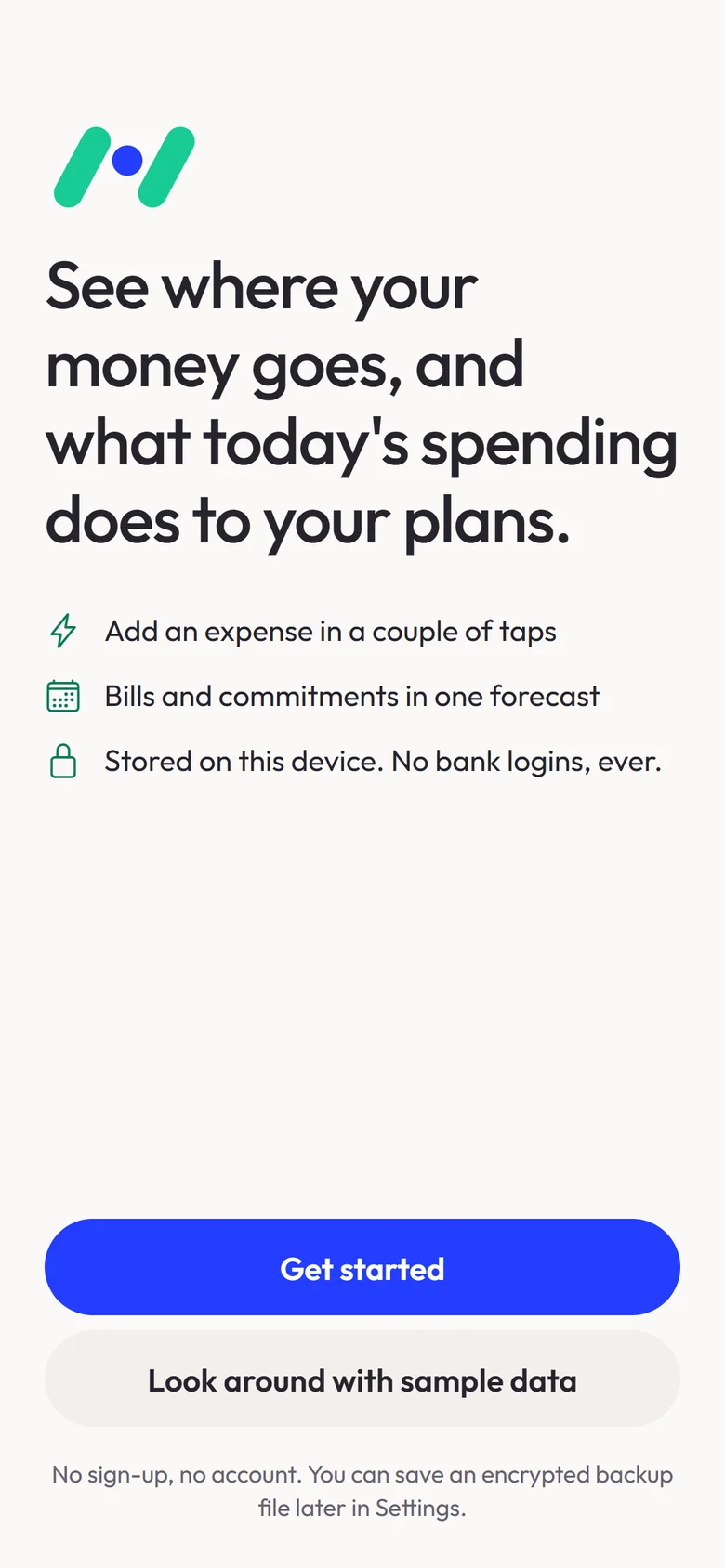
Most people who try to track their spending stop because logging every purchase takes too long. And a list of past transactions doesn’t answer the question people actually have: what does today’s spending do to next week’s bills and to the goals they are saving for?
NearFi needed to make capturing a purchase take seconds, and to turn those records into a forward-looking view: money available now, commitments coming up, and progress towards goals. It is built for individuals in Singapore, with Singapore dollars by default.
What we built
We designed and built NearFi as one app for iOS and Android:
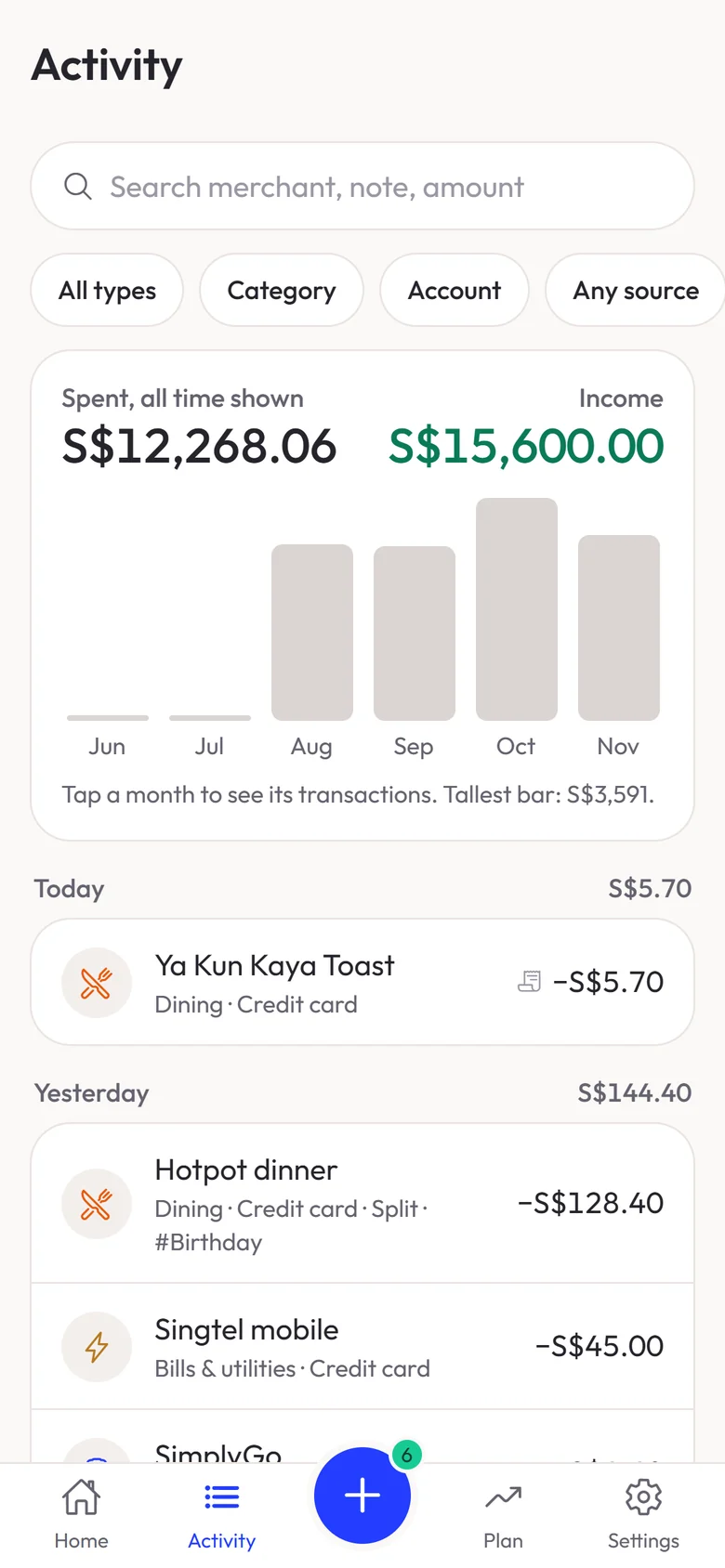
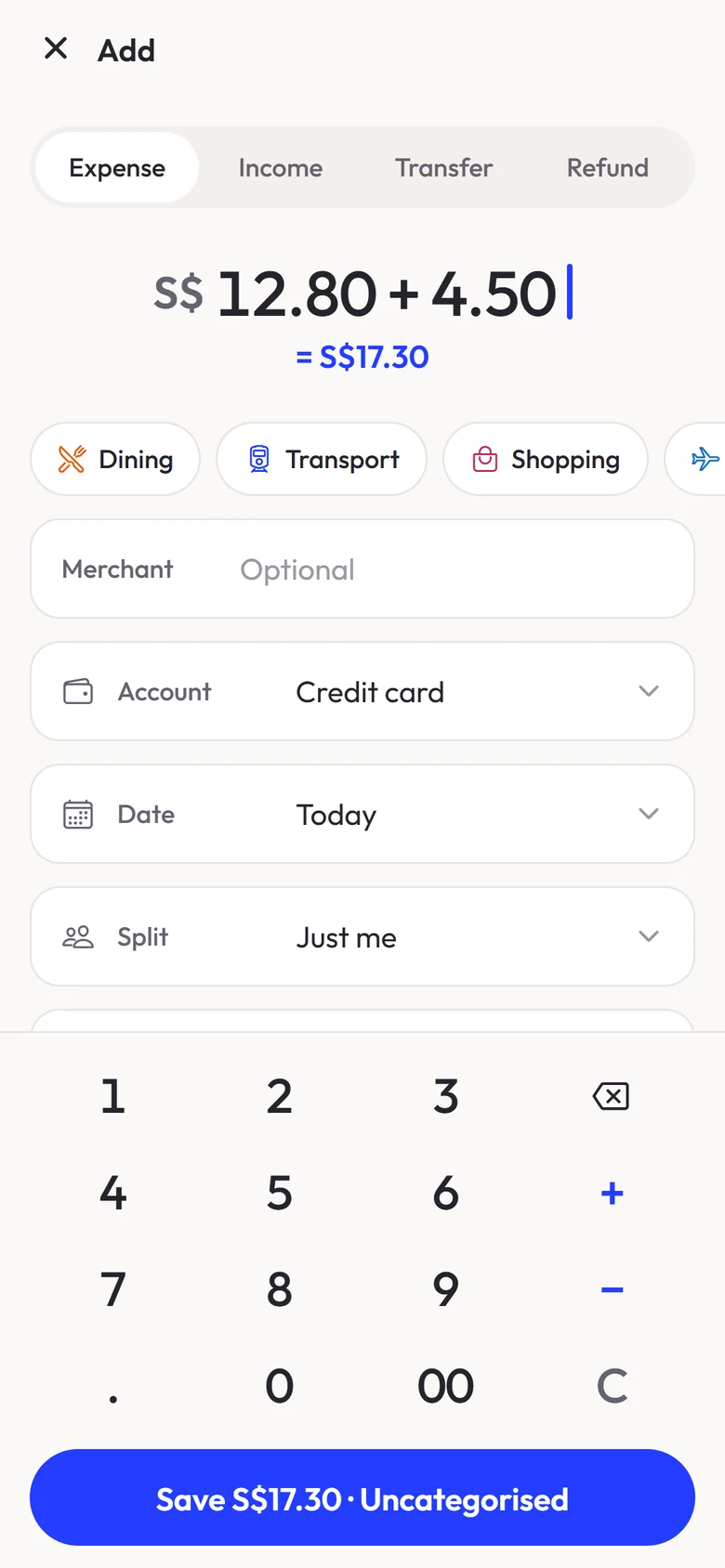
- Quick expense entry on a keypad, one tap from the home screen, with sensible defaults and a calculator built in (type 12.80+4.50 and it saves S$17.30), plus edit and undo.
- Expenses, income, transfers and refunds, with transfers and card repayments kept out of spending totals.
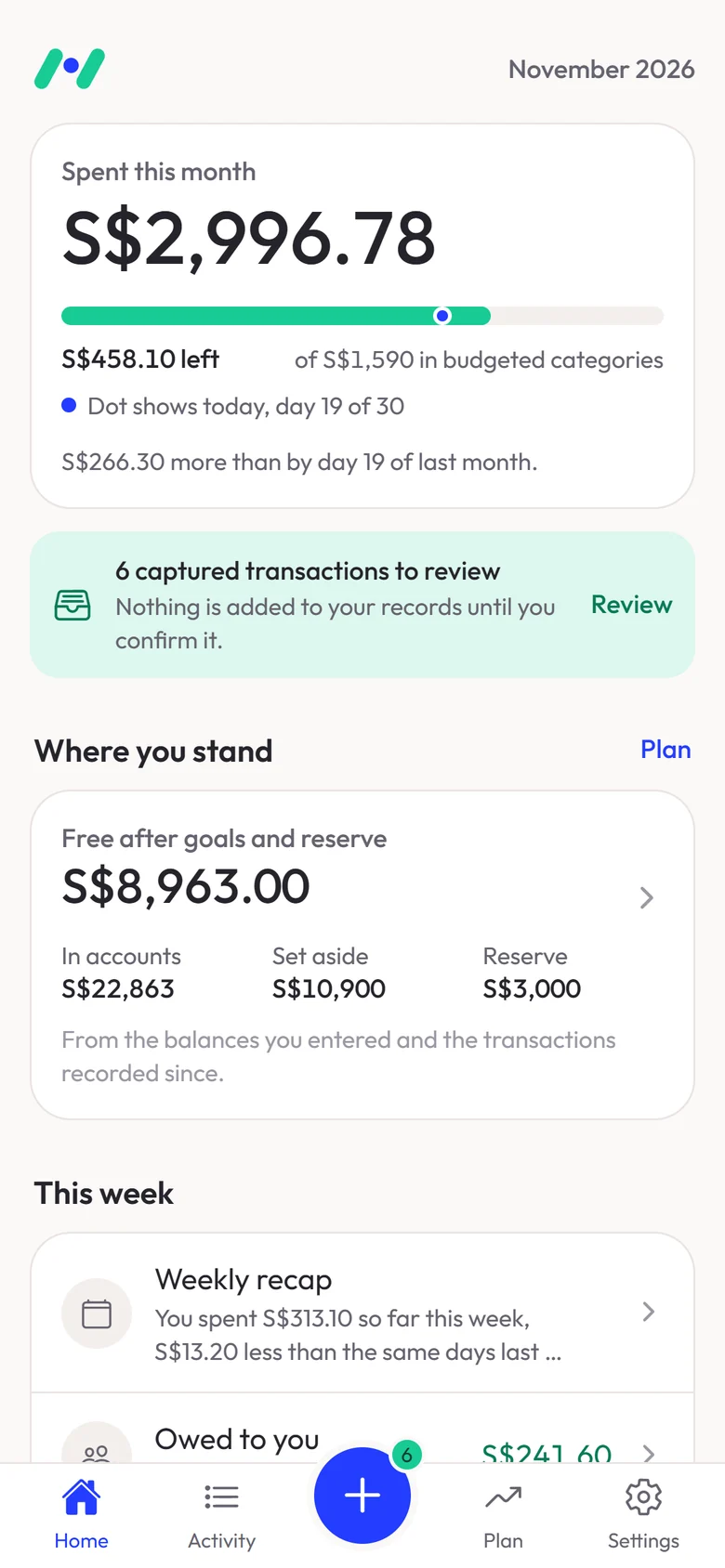
- Budgets, recurring bills and one-off commitments, a cash forecast, what-if scenarios and savings goals.
- Faster capture on each platform: on-device receipt scanning; on Android, opt-in reading of payment notifications; on iPhone, Siri Shortcuts, home-screen widgets and a Log Payment action that sends payments from an automation the user sets up in Apple’s Shortcuts app straight to the review inbox.
- A review inbox, where by default anything captured automatically is checked before it counts: the currency, the payment’s own date and whether money came in or went out are read from the payment itself, and each source can have its own default account. An opt-in setting saves only clear, same-currency expenses straight away; anything unclear still waits.
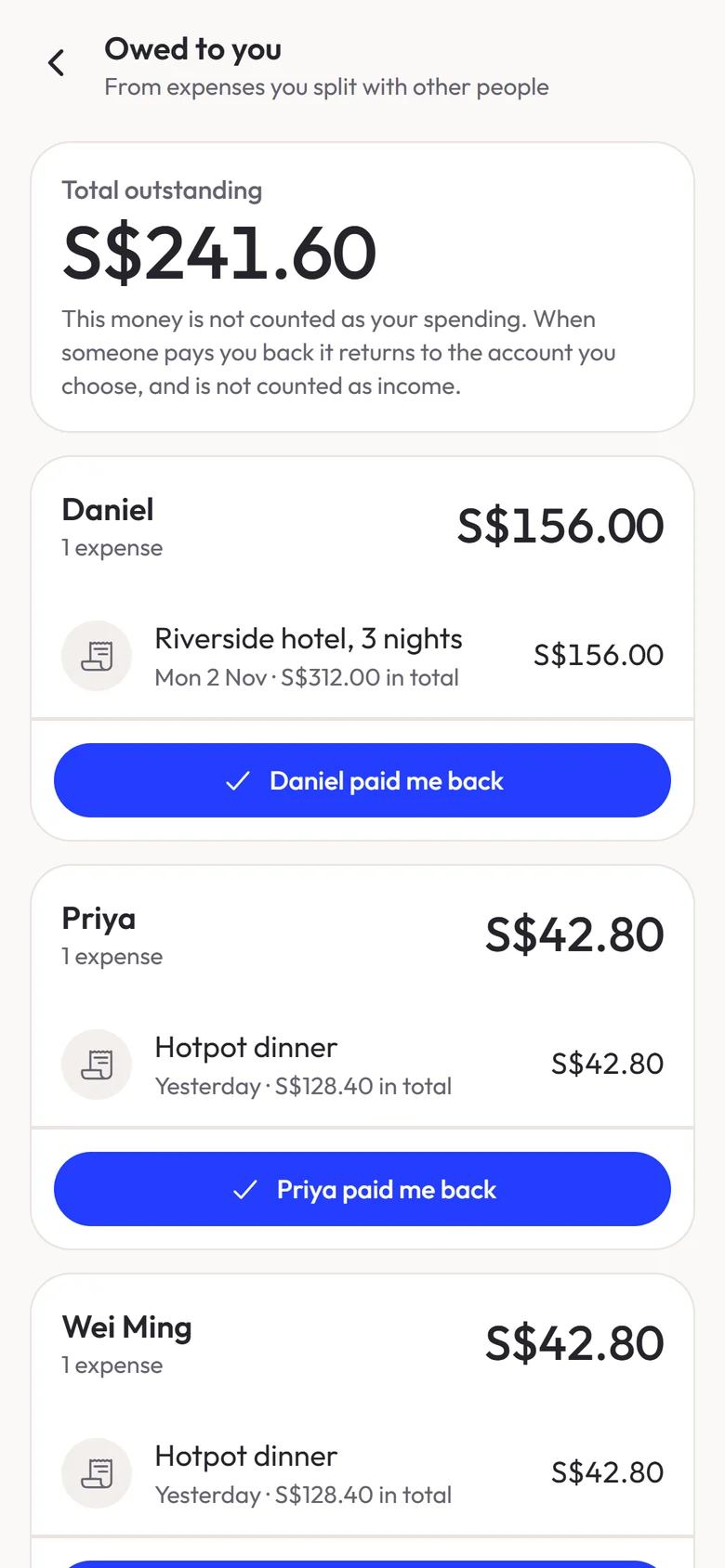
- Splitting an expense, where only the user’s own share counts as spending, with a running record of who owes what and a repayment that isn’t counted as income.
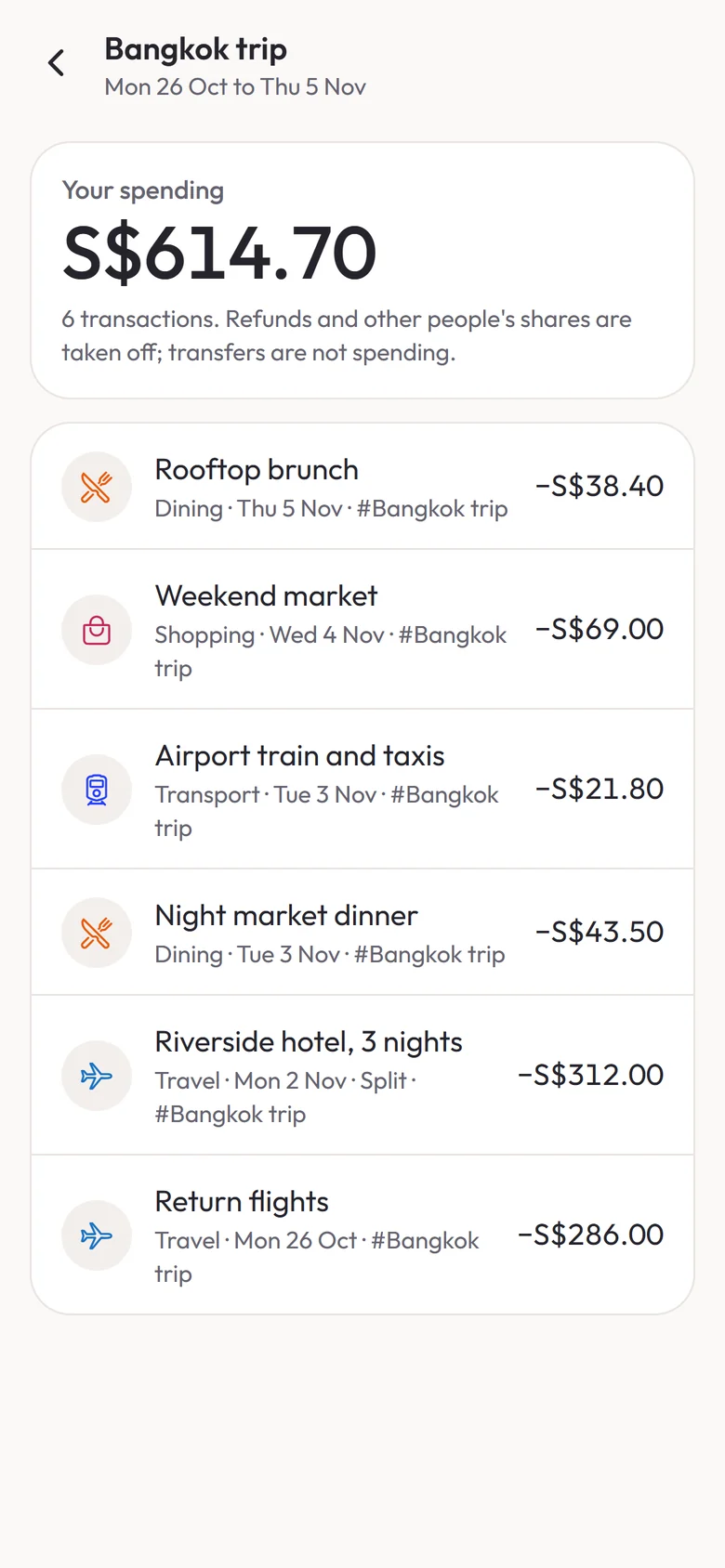
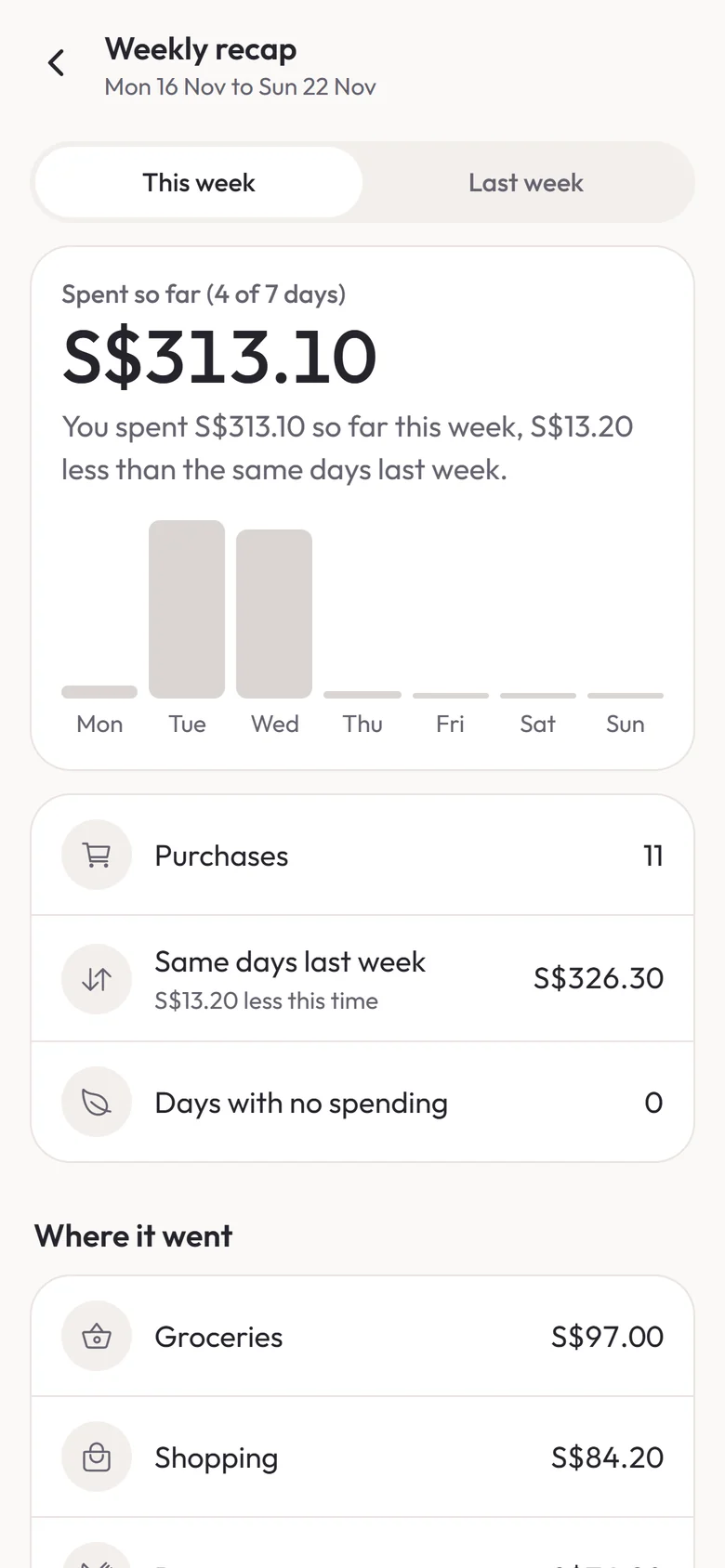
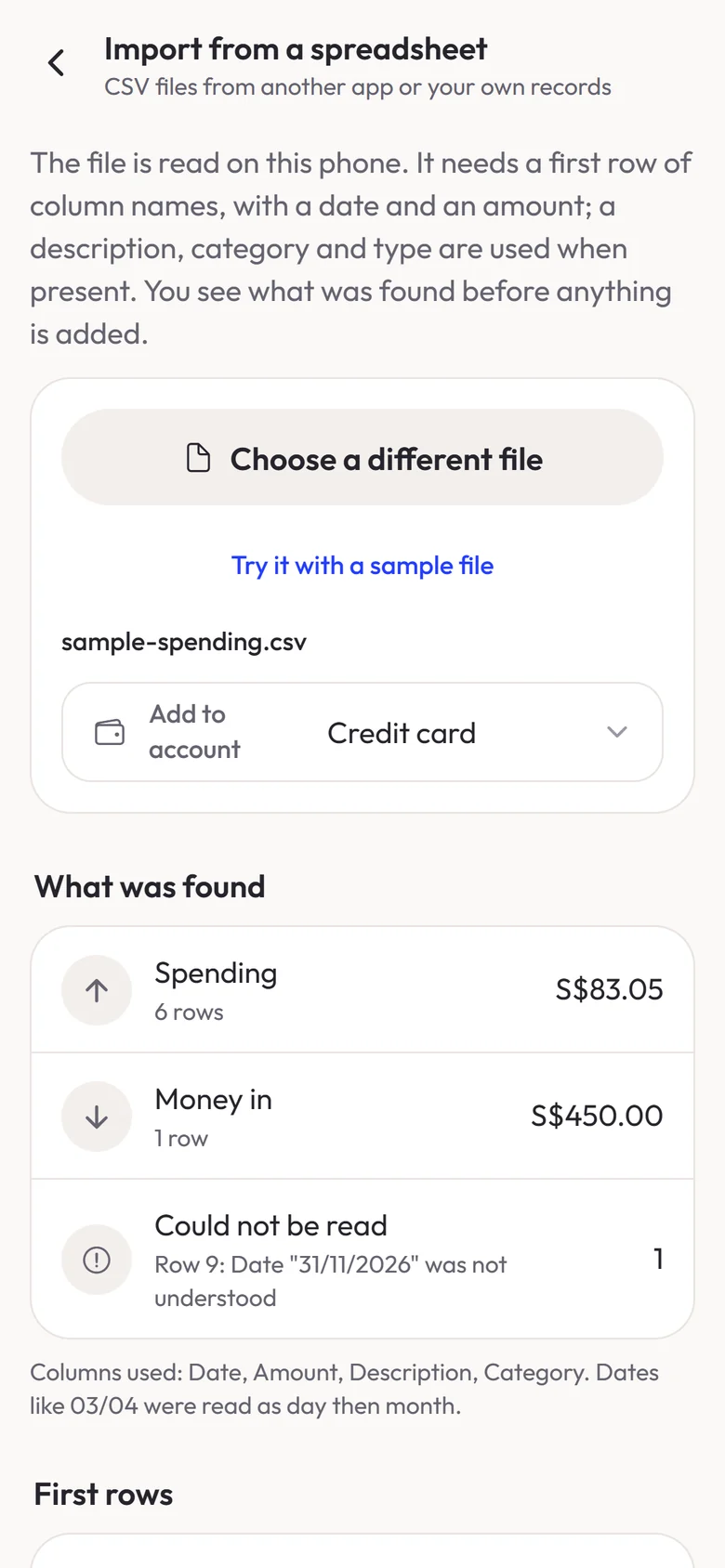
- Tags for trips and projects, a weekly recap, and CSV import that brings in history from another app without changing account balances.
It is built with Expo and React Native in TypeScript, with a small native module in Kotlin and Swift for notification capture and on-device text recognition.
Inside the app
A purchase logged in a few taps
- The keypad is one tap from the home screen, with the account and date filled in
- Expense, income, transfer or refund on one screen
- A built-in calculator: 12.80+4.50 saves S$17.30
- Edit or undo after saving
Where today’s spending leads
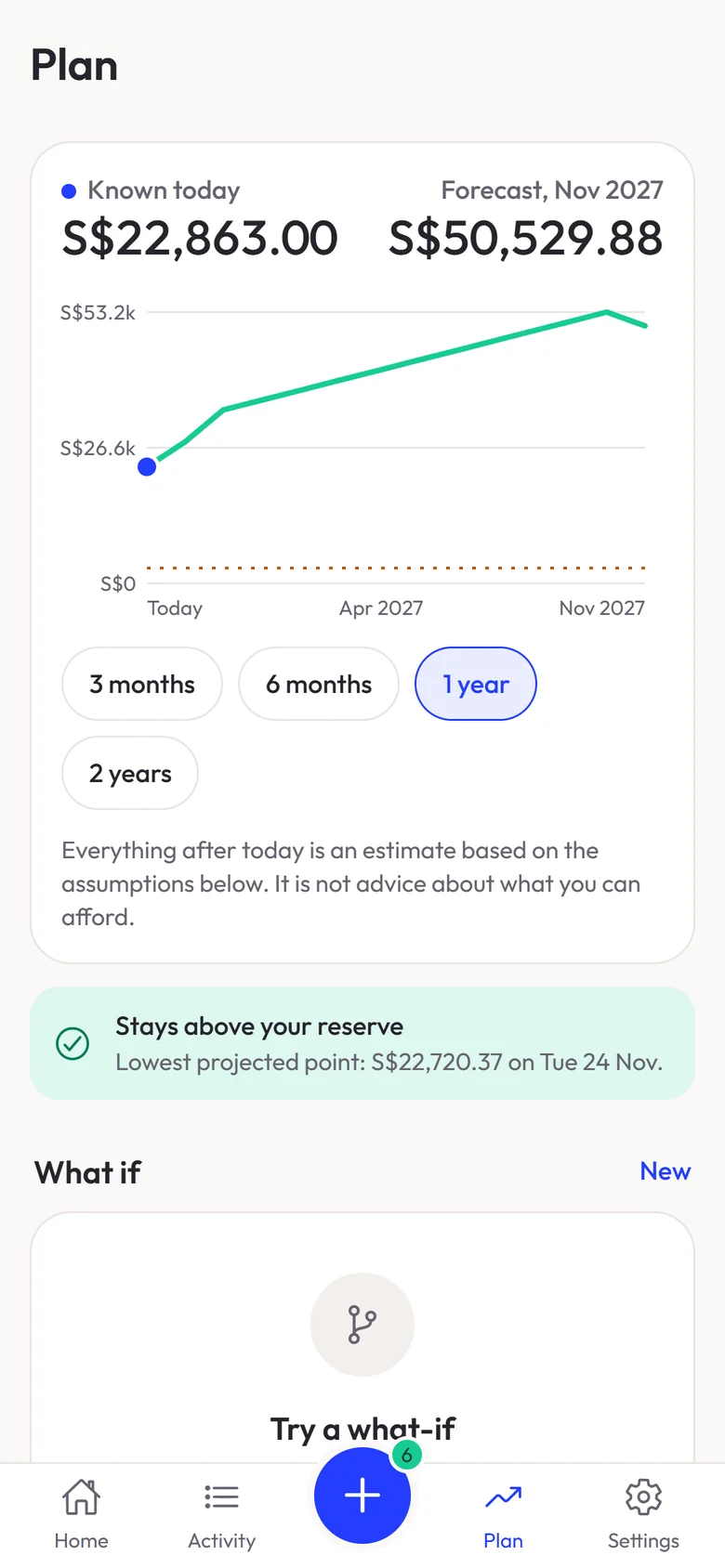
- A forecast built from bills, commitments and goals
- Three months to two years ahead
- What-if scenarios show the effect of a choice first
- The lowest point checked against the user’s reserve
- An estimate, never advice on what someone can afford
Budgets that show what’s left
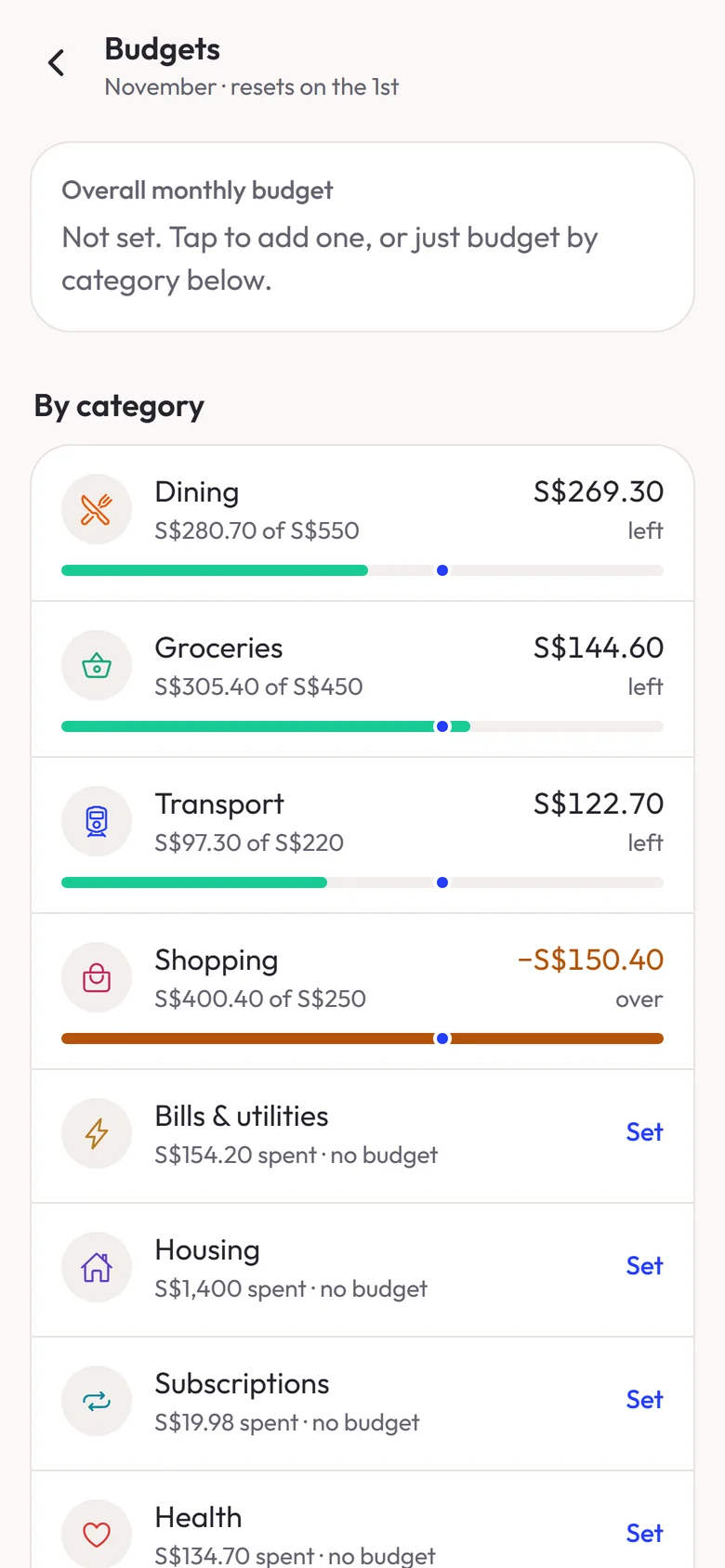
- An overall budget, per-category budgets, or both
- Spent and left for every category
- A marker for today on every bar
- Overspent categories stand out
Bills and commitments in one list
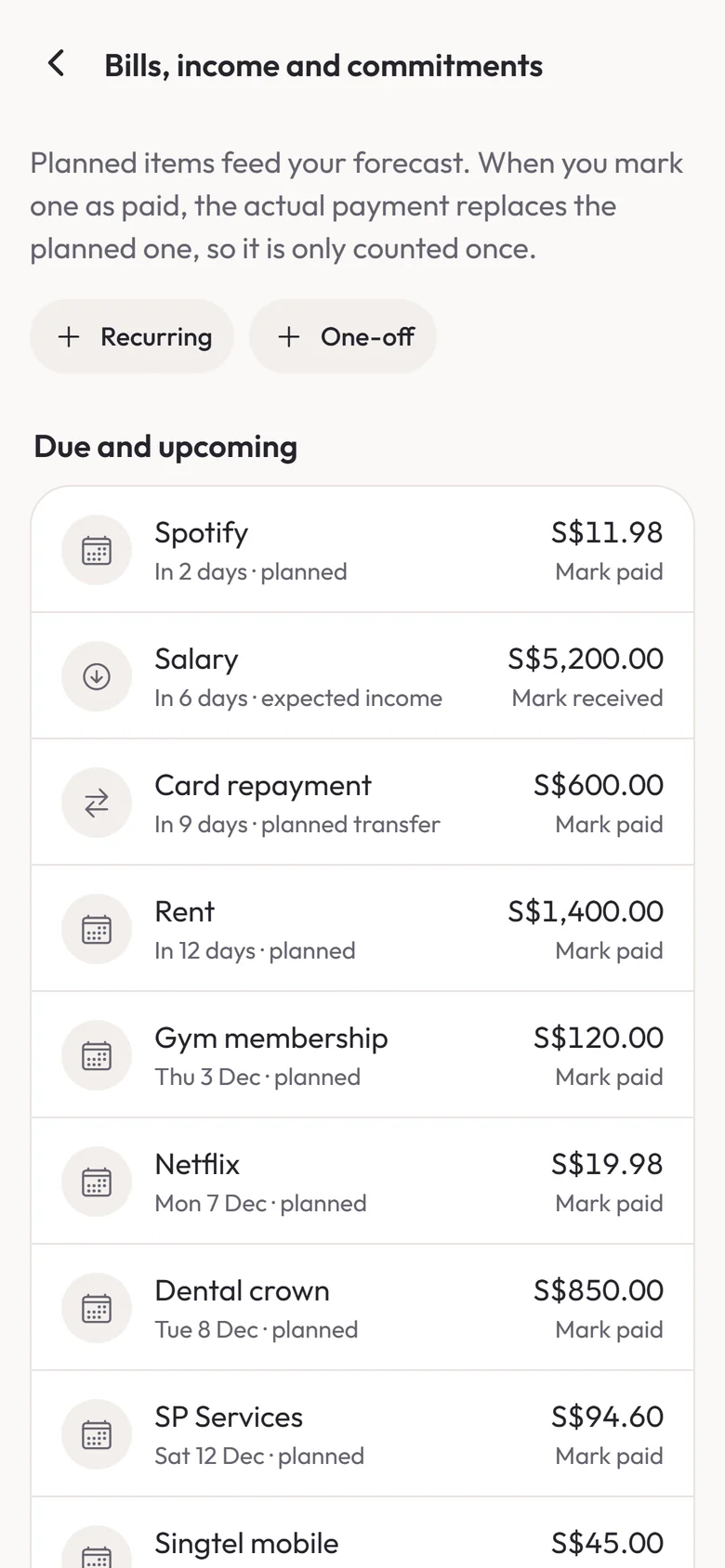
- Bills, expected income and one-off payments together
- Everything feeds straight into the forecast
- Once marked paid, the real payment replaces the plan, so nothing counts twice
Captured payments, checked before they count
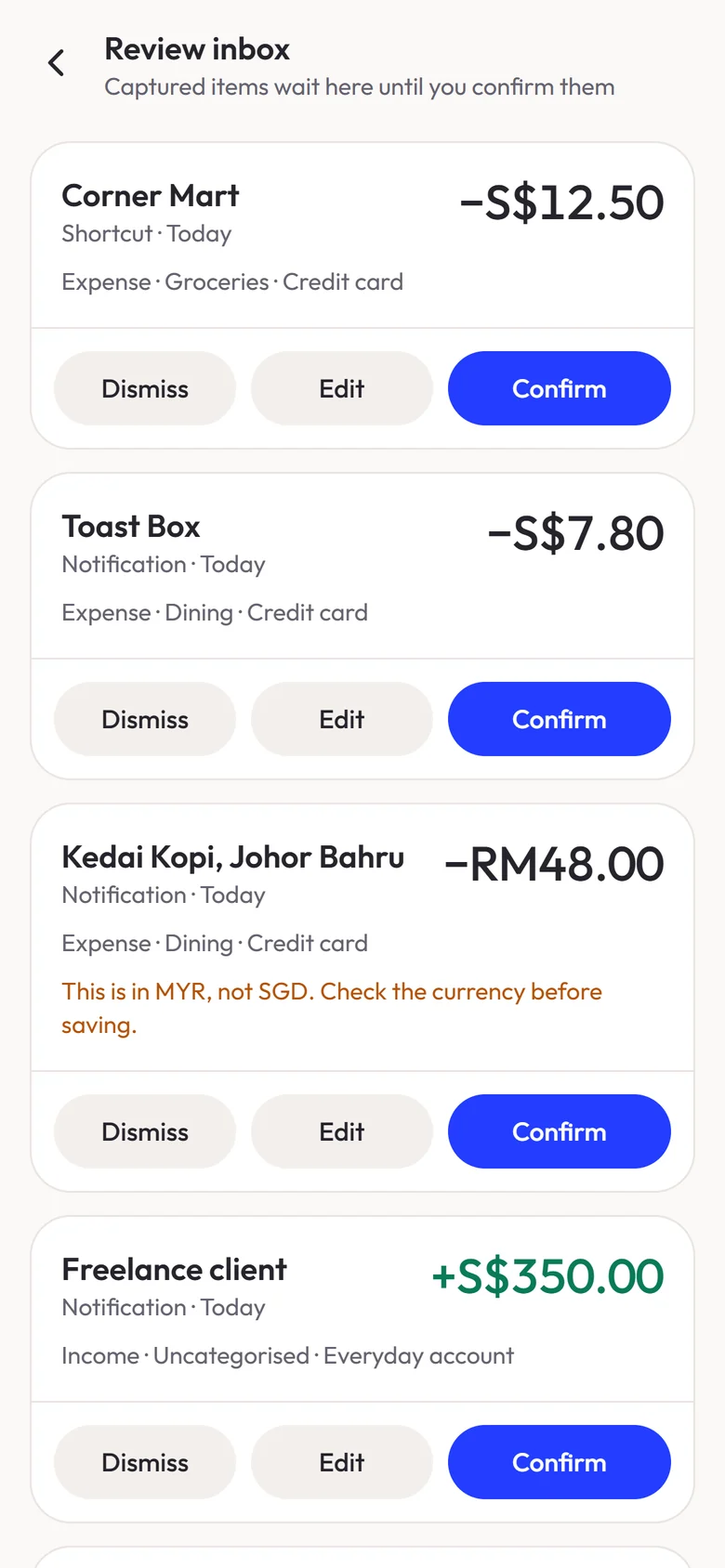
- Receipts, notifications and Shortcuts payments wait here by default
- Currency read from the payment, never assumed
- The receipt’s date, not the time it was scanned
- Money in and money out told apart
- A default account per source, changeable before confirming
- Clear payments can be saved straight away, if the user turns it on
Shared costs, settled up
- Split an expense equally or by amount
- Only the user’s own share counts as spending
- Who owes what, in one list
- A repayment isn’t counted as income
Trips and projects, totalled
- Tag spending across categories
- A total for every tag, such as a holiday
- Other people’s shares and refunds taken off
A weekly recap
- Spending so far this week, day by day
- Compared with the same days last week
- Where the money went, by category
History from another app
- Import a CSV file from another app or spreadsheet
- A preview of what was found before anything is added
- Rows that can’t be read are shown, not guessed
- Imported history doesn’t change account balances
What it does now
NearFi keeps people’s finances on their own phone: records leave it only when the user exports them or saves a backup file. No account or bank login is needed, the database is designed to be encrypted with a key held in the phone’s secure storage, and receipt scanning and notification reading happen on the device.
There’s no server, no sign-in and no sync. A backup is an encrypted file the user creates when they want one, locked with their own passphrase and saved wherever they choose, and it’s how records move to a new phone. Widgets hide amounts unless the user chooses to show them.
NearFi is now available on the App Store.
Planning an app of your own?
Talk to retroXpect about designing and building it for iOS and Android. We reply within 24 hours.